8 Best Drumming Apps and How to Use Them Effectively (2025)
There are a lot of great drumming apps in 2025, from libraries of video lessons to specialized rudiment trainers and metronomes. While an app is not a replacement for a good teacher, it can be a powerful tool to supplement your practice. When used effectively, the right app can seriously improve your skills.
The key is to see them as focused tools that solve specific problems. Some help with your timing, others build your hand technique, and some make it easier to learn songs. This guide will introduce you to eight of the most useful drumming apps available and, more importantly, explain how to integrate them into your practice to make meaningful progress.
The 8 Best Drumming Apps
This list is a curated selection of apps that serve different functions for drummers. The idea isn't to use them all, but to identify which ones can solve a problem you're currently facing.
1. Drum Rudiments
Best for: Building foundational techniques, developing speed and control, learning drum notation.
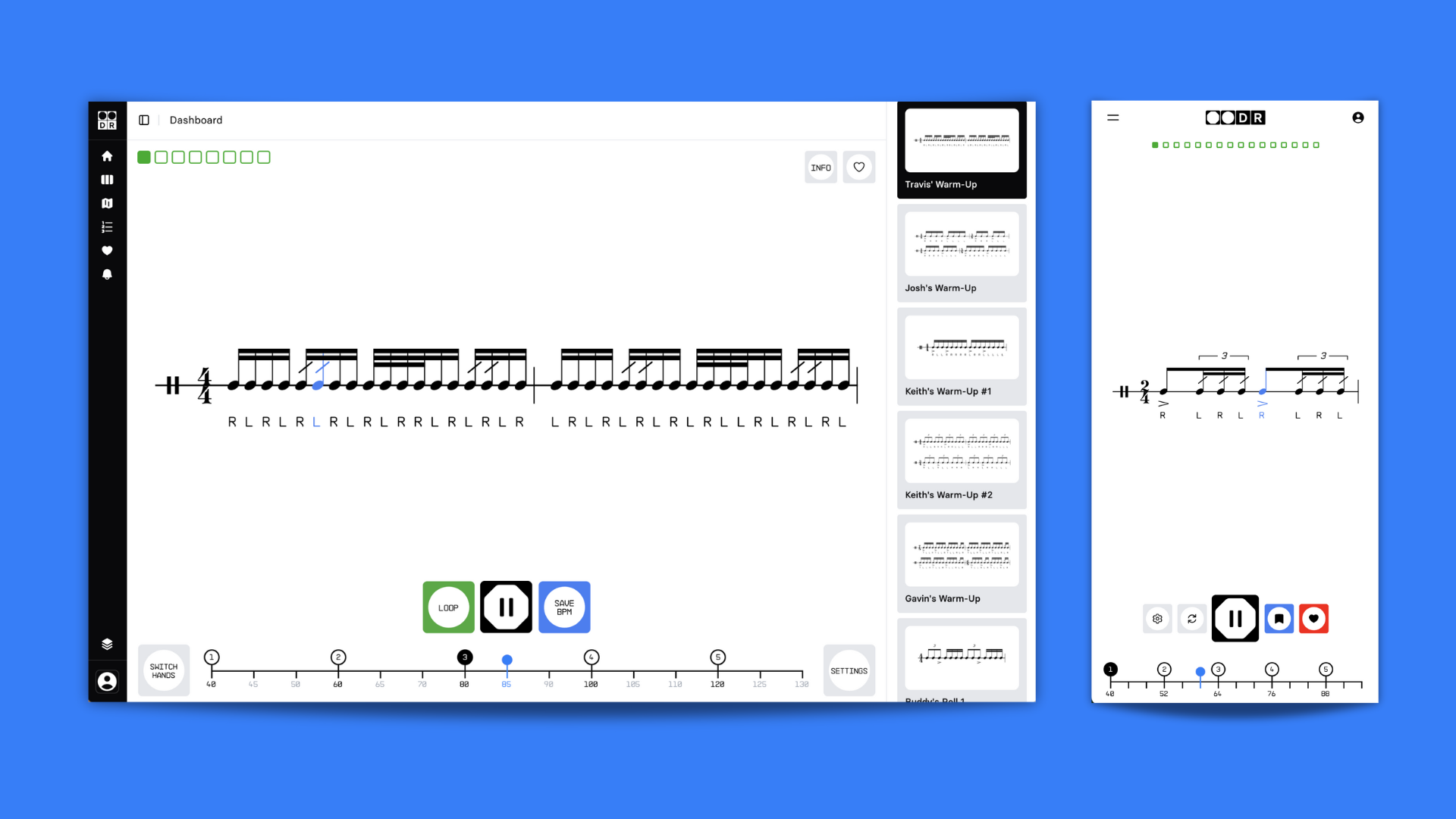
Rudiments are the fundamental sticking patterns that form the basis of all drumming. Developing control over them is essential for clean, articulate playing. Drum Rudiments is designed purposefully for this task.
The app includes a growing library of rudiments for beginner to advanced students: the 40 standard rudiments, plus a wide range of hybrid rudiments and warm up exercises. You can easily save your BPM on each exercise, which provides a great way to track your improvement. The best thing about the app is the custom audio engine that accurately plays all snare articulations.
Drum Rudiments is for those of us who hate wasting time with PDFs and metronomes. If you prefer focused practice and want to jump right in to your practice, then this is the app for you.
Drum Rudiments has a 14-day trial and then it's $5 per month.
How to use it effectively: Spend 15 minutes with this app at the start of each practice session. Begin at a slow tempo, focusing on your technique. Ask yourself:
- Are my notes evenly spaced?
- Do my flams and drags sound clean?
- Are my stick heights consistent?
- Are the accented notes distinct from regular notes?
- Am I relaxed or tensing up as I play?
Use the progress tracker to push your tempo up gradually and consistently over weeks and months.
Available on: Drum Rudiments works on any browser for desktop, iOS and Android. Try it free here.
2. Drumeo
Best for: A structured video curriculum.
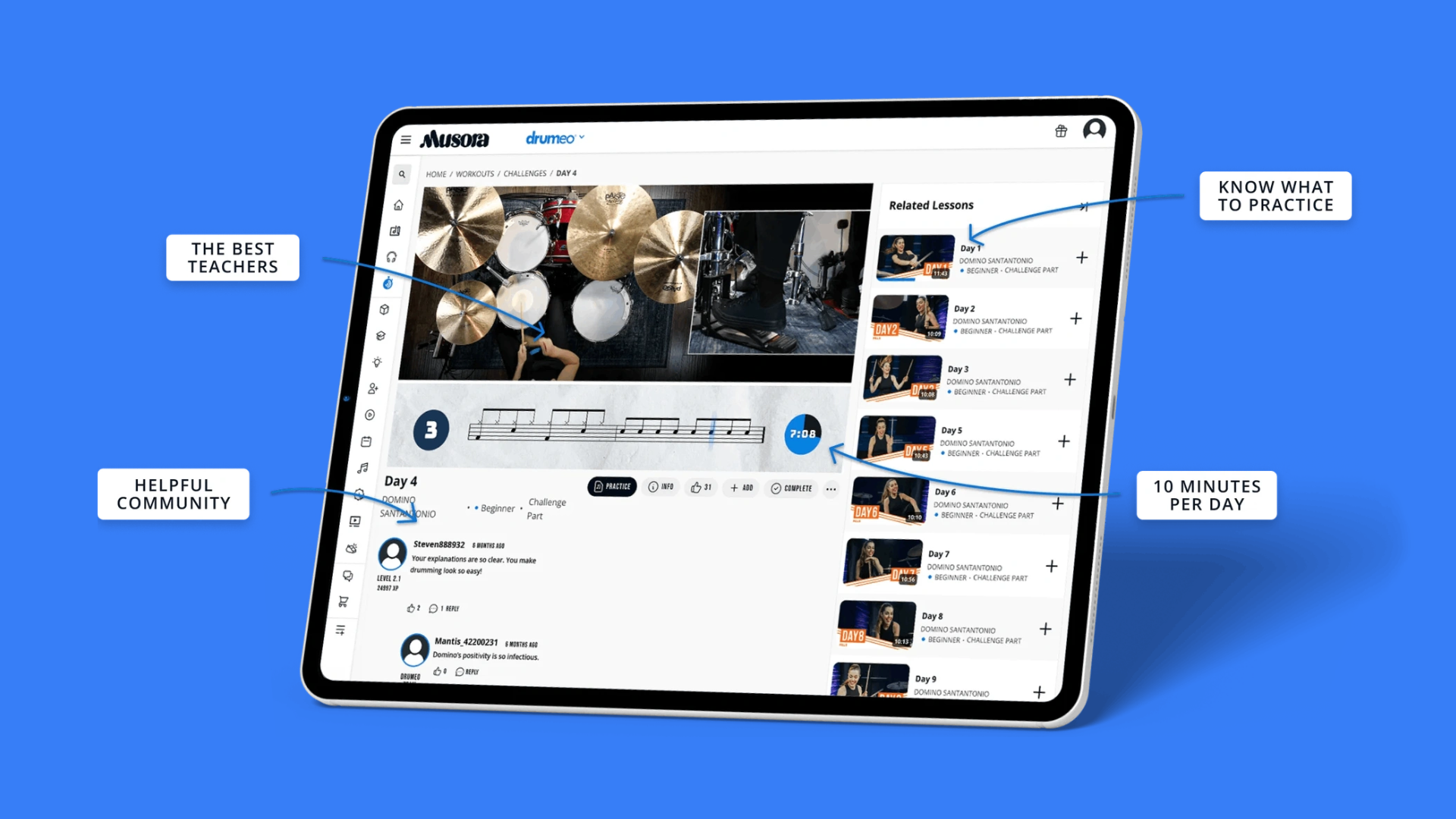
Drumeo is one of the more recognized names in online drum education. It’s a comprehensive learning platform that offers courses for drummers of all experience levels. Whether you need a step-by-step method as a beginner or want to do a deep dive into a specific genre as an advanced player, Drumeo provides a clear path.
The platform offers professionally produced video courses from well-known drummers, covering everything from correct stick grid to the nuances of jazz, latin, and metal drumming. It also provides a large library of song transcriptions and play-alongs. It is a very thorough educational resource.
Drumeo offers two digital lesson plans: its membership access for $240 per year, or specific modules and masterclasses that you can buy once a lifetime access to. These courses range from $27 to $200.
However, as a quick practice tool, Drumeo falls short in its rudiment section, with robotic MIDI sounds and lack of progress-saving functionality.
How to use it effectively: If you already have a teacher, use Drumeo to explore techniques or styles they might not cover. If you are teaching yourself, follow their main "Method" curriculum to ensure you build a solid foundation. Personally, we love 30 Day Chops by Zack Grooves, for more a deep dive on building combinations around the drum set.
Available on: Drumeo lessons can be accessed through the Musora app for website, iOS and Android
3. Moises
Best for: Creating play-along tracks.
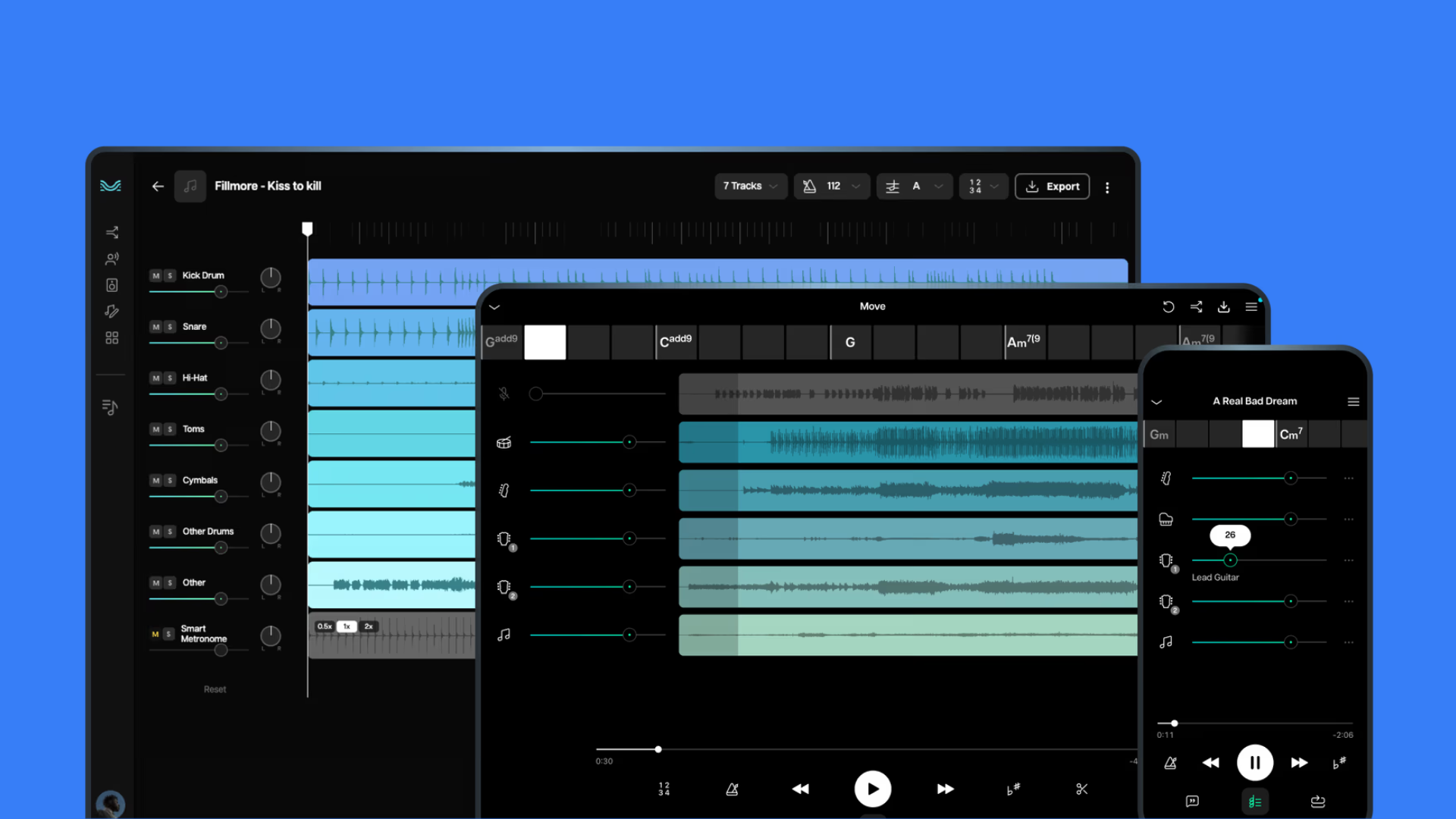
Moises is a useful tool for any drummer who needs to learn songs and create play-along backing tracks. Using AI, the app allows you to upload any audio file and then separates it into its core instrumental parts: vocals, bass, guitar, and drums.
This function is powerful for a few reasons. You can mute the original drum track and play along with a full band mix, which is excellent for practice. You can also isolate the drum track to listen closely to complex parts, making transcription much easier. Additional features like tempo control and a click track generator give you even more control over how you break down and learn a song.
Moises has two tiers; the Premium subscription is $5.99 and the Pro subscription is $29.99 per month.
How to use it effectively: Upload a song you would like to master. Start by listening to the isolated drum part to learn the grooves and fills. Next, mute the drums and play along with the track. For an extra step, record yourself playing along and compare it to the original drum part to check your accuracy.
4. RhythmBot
Best for: Generating sight reading exercises.
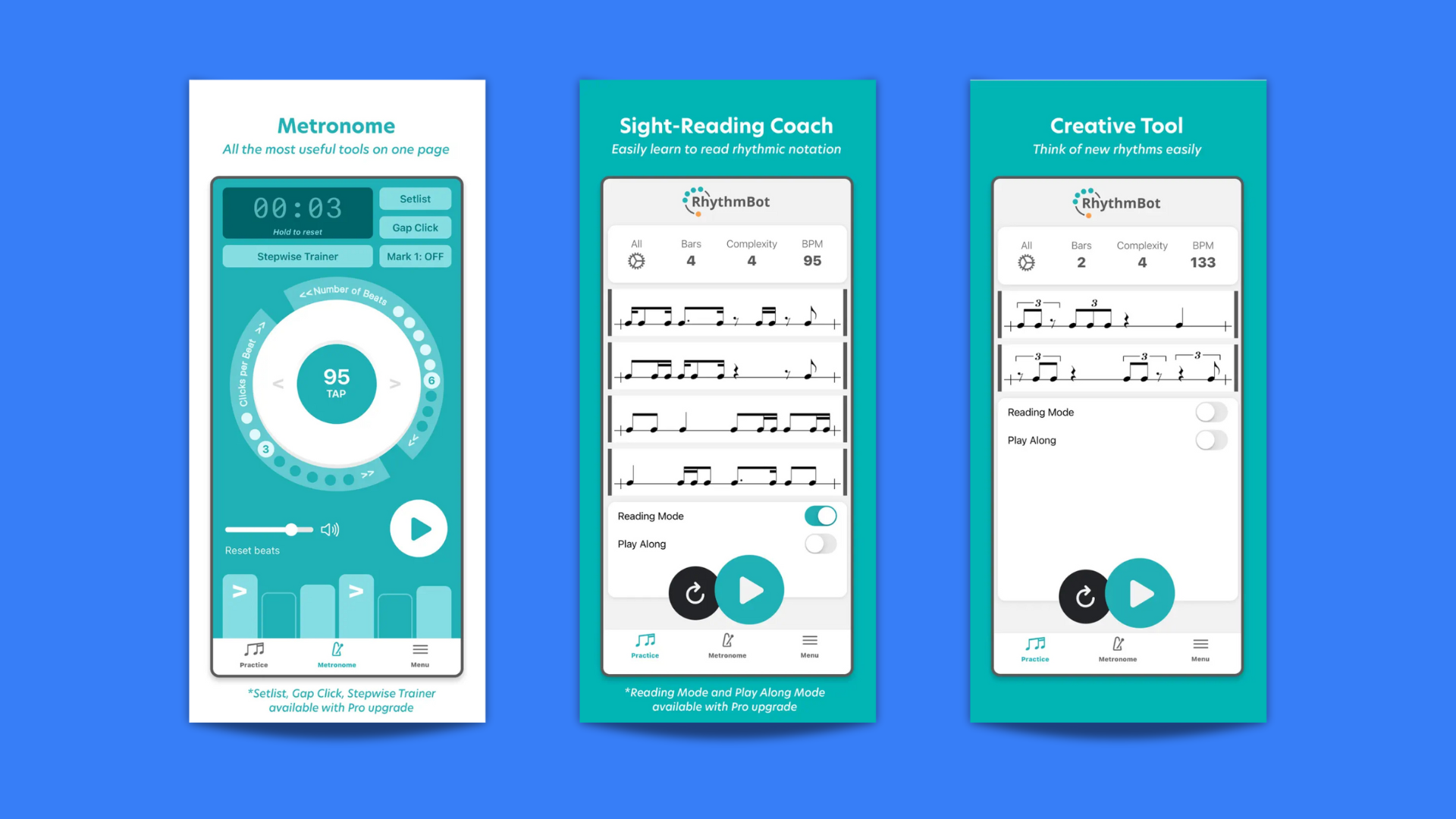
Developed by drummer JP Bouvet, RhythmBot is a rhythm generator designed to challenge your sight reading skills.
With the app, you can generate rhythmic patterns based on parameters you can control. You can adjust the complexity, the types of subdivisions used, and the time signature. RhythmBot then generates notation for you to read and play. It’s a fun tool for improving sight-reading with difficult material and discovering new rhythmic ideas you may not have come up with on your own.
How to use it effectively: Set aside 10 minutes for focused reading practice. Start with simpler settings and gradually increase the complexity as you get more comfortable. Use it as an idea-starter: if the app generates a pattern you find interesting, loop it and try orchestrating it around the drum kit to turn it into a new groove or fill.
5. Rhythm Trainer
Best for: Sight-reading battles
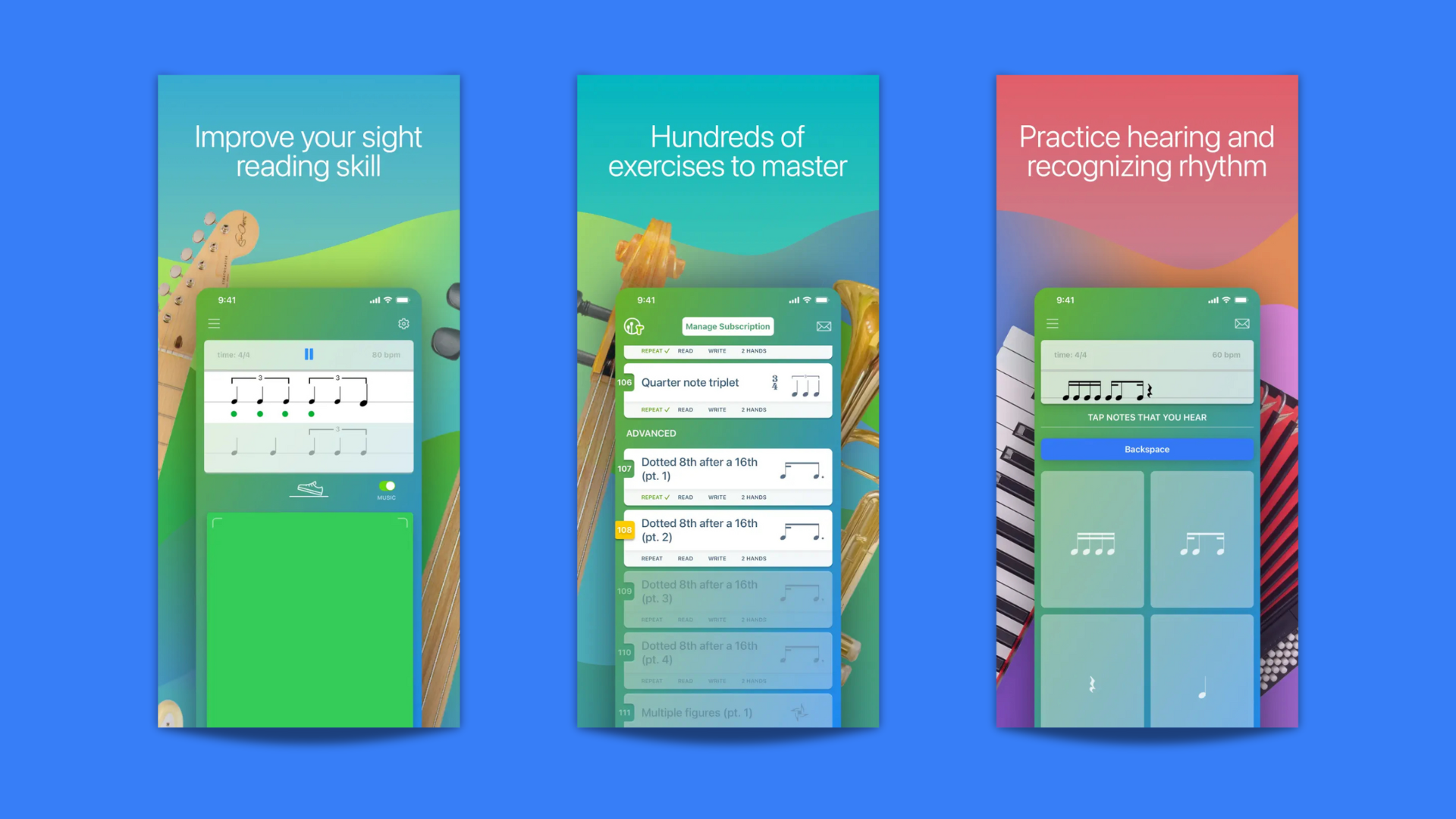
Learning to read rhythmic notation is a valuable skill for any musician. The Rhythm Trainer makes this process more engaging by turning it into an interactive exercise.
The app displays rhythmic notation and you have to tap them back in time. It starts with simple quarter and eighth notes, then systematically introduces more difficult concepts like sixteenth notes, triplets, rests, and syncopation. You get instant feedback on your timing, letting you know if you were early, late, or accurate.
The best part about this app? Compete mode. Battle with other players to see who is rhythm champion, all along with MIDI interpretations of classic rock tunes.
How to use it effectively: Fun as a tool for serious sight-reading practice or wasting time on the couch.
6. Clapping Music by Steve Reich
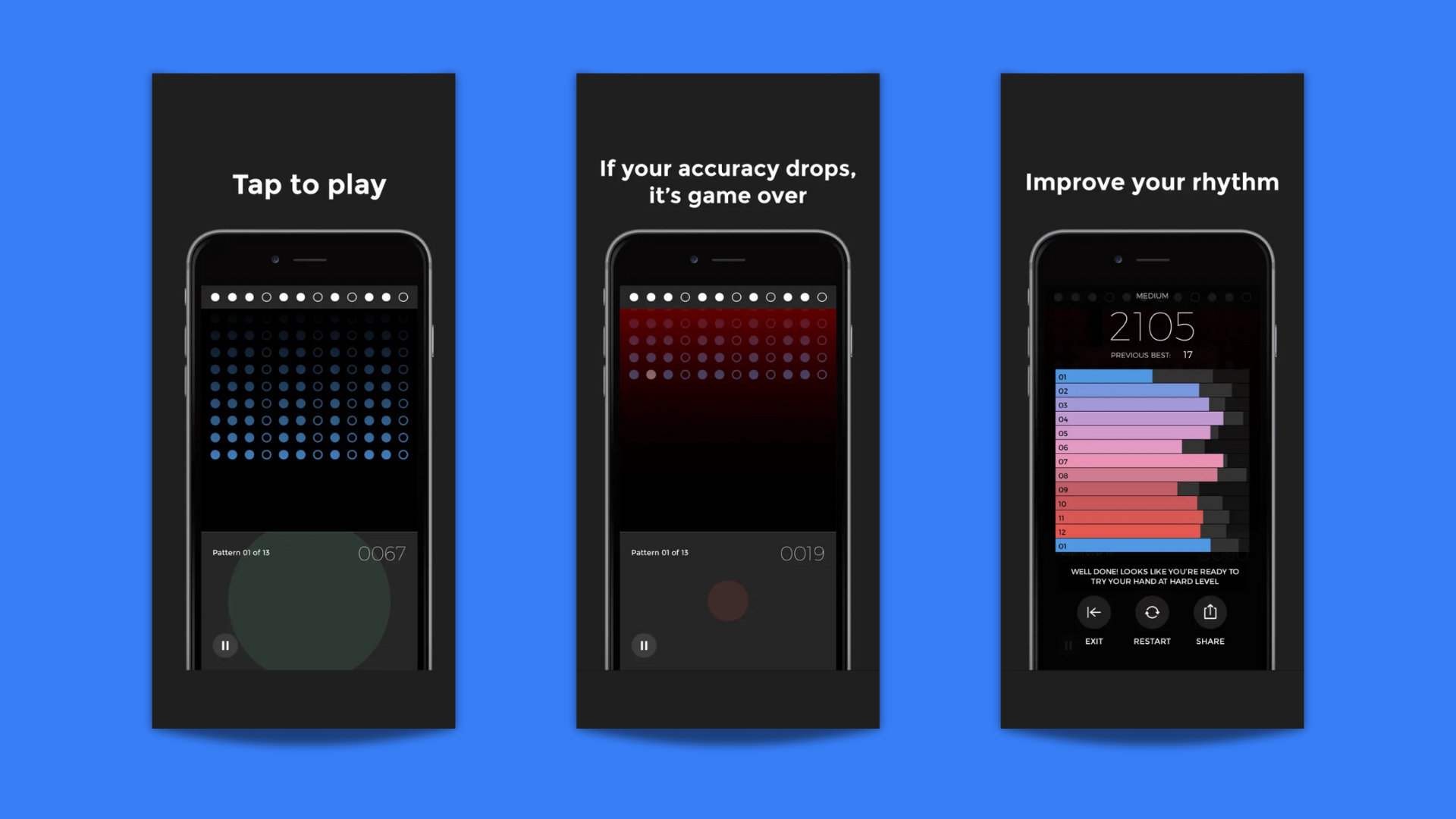
Did you know Steve Reich had a rhythm app? This is a game based on his 1972 minimalist composition Clapping Music. The piece consists of two performers clapping the same rhythmic pattern. One person remains constant while the other systematically shifts their pattern by one eighth-note every few bars.
The app challenges you to perform this. You must tap the core rhythm while the app shifts its version of the pattern against yours. It requires concentration to hold your part steady. It’s a powerful exercise in rhythmic independence.
How to use it effectively: This is a fun exercise away from the drum kit. It trains your brain to feel and understand rhythmic displacement.
Available on: iOS
7. Soundbrenner Metronome
Best for: Metronome, drum tuning and useful tools
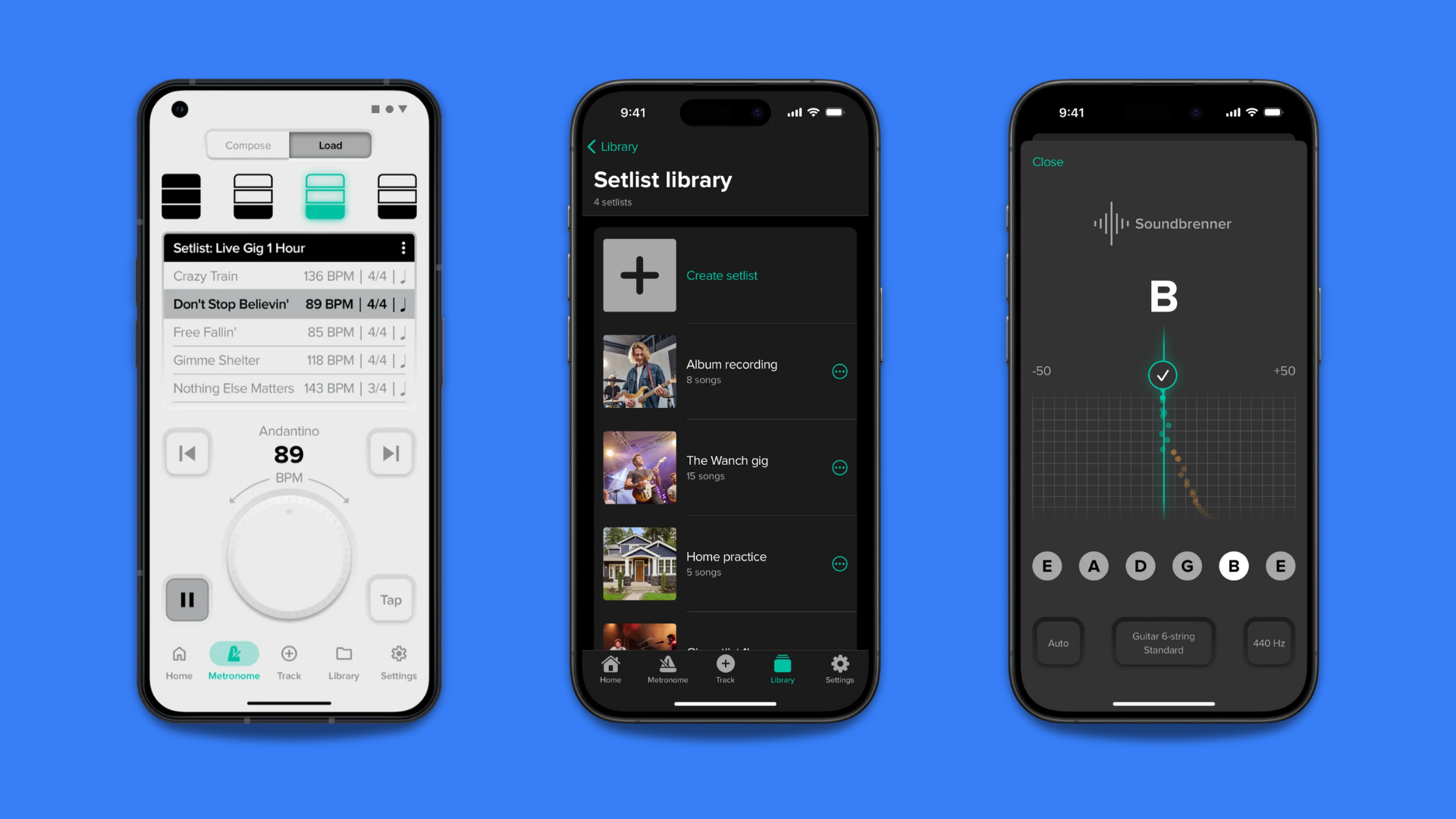
Every drummer needs a metronome. The Soundbrenner app is a professional tool that offers much more control than a basic click.
Soundbrenner lets you build intricate rhythmic frameworks. You can program any time signature, set specific subdivisions (like 8th notes, 16ths, or various triplets), and create custom accent patterns to outline the feel you want. It also lets you save all your tempos and rhythms into songs and organize them into setlists, which is great when you're rehearsing or preparing for a gig. The app also includes a drum tuning tool that we find quite accurate.
The downside? At $7.99 per month not everyone will see the value in paying for a subscription for an app that is not content-driven.
How to use it effectively: The app is effective if you need a one-stop tool to tune your drums and prepare for gigs. For an advanced challenge, program the metronome to go silent for one or two bars, forcing you to maintain the time on your own before it comes back in.
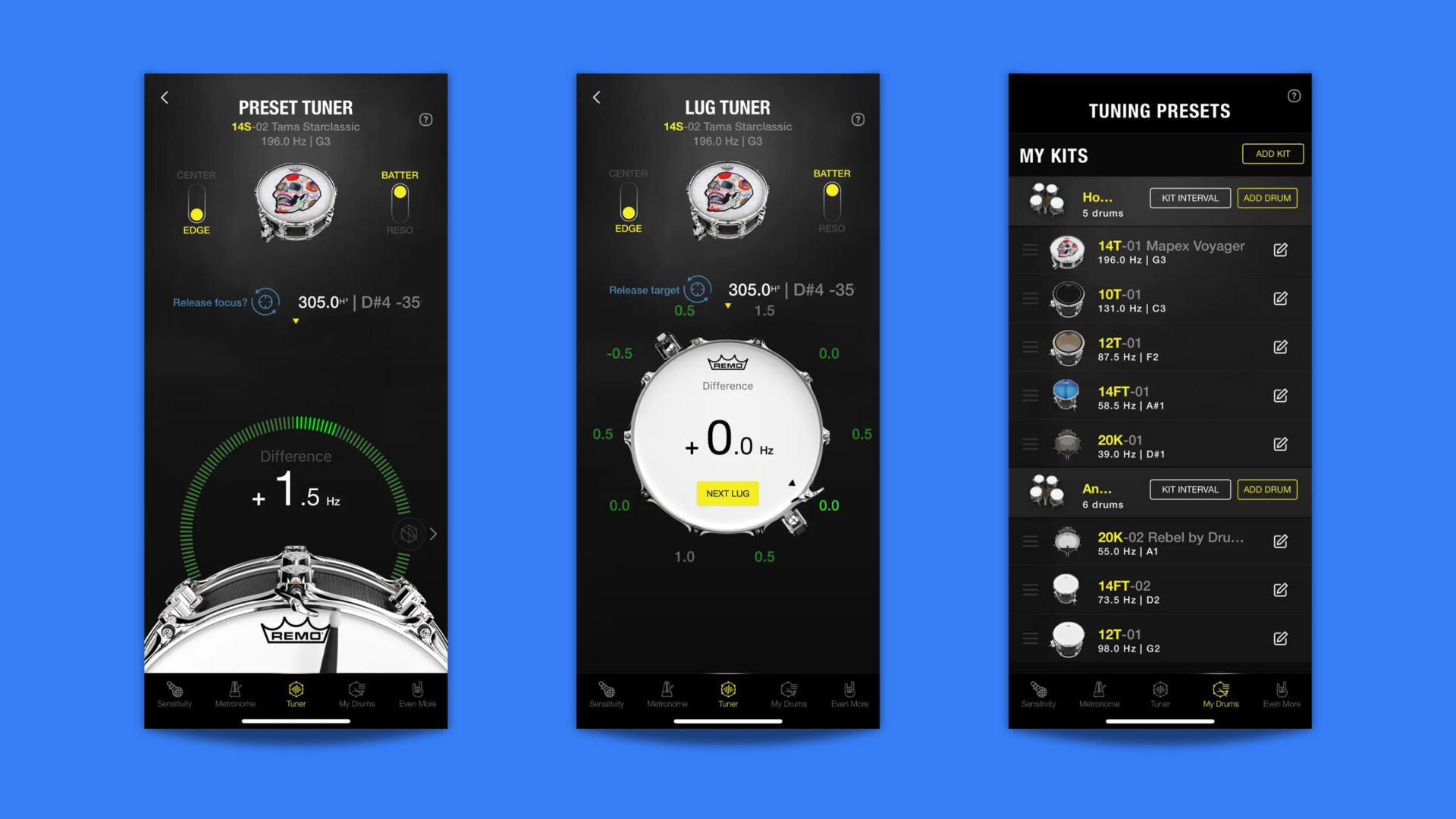
8. Drumtune PRO
Best for: Achieving fast, accurate, and consistent drum tuning.
Tuning can be a difficult skill to develop by ear alone. Drumtune PRO takes the guesswork out of the process by using your phone’s microphone for precise pitch analysis. It displays the drum’s fundamental pitch and the pitch at each individual tension rod.
This allows you to clear your drumheads with a degree of accuracy, resulting in a pure tone without unwanted overtones. You can also use it to tune your toms to specific musical intervals or save tuning presets for different kits and rooms. It provides a visual reference that helps you connect the sound you're hearing with a specific pitch, which helps train your ear over time.
How to use it effectively: When you first start using it, don't just tune and walk away. Tap the head near a tension rod and study the pitch reading. Listen carefully. Then make a small adjustment with your drum key and observe how both the sound and the reading change. This will accelerate your ability to hear pitch differences accurately.
Choosing the right drum learning app for your needs
With so many apps out there, your choice will depend on your skill level, goals, and learning style. Whether you’re a beginner looking for step-by-step lessons or an advanced drummer refining complex patterns, the right app can make all the difference. Below, we break down the best options for different types of drummers.
Which drum app is best for beginners?
If you’re just starting your drumming journey, you’ll need an app that offers:
- Step-by-step lessons with structured guidance
- Play-along songs to make practice fun
- Visual aids and feedback for technique improvement
Top pick for beginners: Drum Rudiments
Why it’s useful for beginners: Drum Rudiments helps beginners develop stick control, speed, and hand technique, which is fundamental to all drumming styles. It also includes:
- All 40 essential rudiments with guided practice
- A growing library of specialised exercises
- Adjustable tempo and progress saving to build speed gradually
- Real-time playback to hear how each rudiment should sound
Great supplement: Drumeo
Why? Drumeo provides beginner-friendly lessons taught by professional drummers. It covers basic beats, fills, and drumming techniques in an easy-to-follow format. The video lessons and structured courses make it the best starting point for new drummers, especially when combined with an app that teaches you stick control and foundational patterns.
Using Drumeo for structured lessons and Drum Rudiments for focused hand technique and pattern practice creates a well-rounded learning experience!
What features are most important in a drum learning app?
When choosing a drum app, look for features that match your learning style and goals:
- Video lessons: Ideal for visual learners who need structured guidance
- Personalisation tools: Look for an app where you can customise the look and feel to make it truly yours.
- Sheet music & notation support: Great for drummers who want to improve sight-reading
- Drumless tracks: Lets you practice like you’re in a real band
- Metronome & tempo control: Essential for developing a solid sense of rhythm
Pro tip: If you’re unsure which app to choose, start with a free version before committing to a paid subscription. Most apps out there offer a free trial period (usually 7-14 days) during which you can get a better feel of whether or not it’s right for you. Also, check out their accounts on YouTube for any free sample content they might post there (they usually do)!